Pipelight - Uma alternativa ao flash no Debian
Dica publicada em Linux / Software

Pipelight - Uma alternativa ao flash no Debian
Pessoal, consegui instalar o pipelight e através dele o flash e o shockware. O Pipelight é útil também para quem usa Netflix, pode ser instalado e ativado o Silverlight via Pipelight.
Não fiz o teste por não ter Netflix, se alguém quiser enriquecer a dica e quiser postar abaixo ou criar outra dica com um link para este seria bom.
Ele utiliza o Wine, no meu PC modesto está funcionando redondo.
Utilizei o Debian 7.8 (Wheezy) Iceweasel 40 (poderia ser o Firefox) e o Opera.
Observações:
a) Para a versão SID do Debian(8.1) mais atual entre no link de referências e use os repositórios especificados e os demais procedimentos são iguais.
b) Para versões 64 bits (Não vi ainda pois a minha é de 32 bits). Precisamos ativar o multiarch para utilizar versão 32bits com:
# dpkg --add-architecture i386
1) Baixe a chave de criptografia:
# wget http://download.opensuse.org/repositories/home:/DarkPlayer:/Pipelight/Debian_7.0/Release.key
1.1) Ativando a chave:
# apt-key add Release.key
2) Adicionar na sua sources.list o seguinte:
# nano /etc/apt/sources.list
2.1) Fechar editor e atualizar:
# apt-get update
3) Instalar o Pipelight:
# apt-get install pipelight-multi
3.1) Atualizar o pipelight:
# pipelight-plugin --update
4) Configurar.
Com o comando abaixo pode se verificar as possibilidades de adicionar outros complementos e ativá-los em seguida:
# pipelight-plugin --help
# pipelight-plugin --enable flash
The following modules require a license confirmation before they can be enabled:
[*] Adobe Flash Player
By continuing the installation you agree that you've read and accepted the
ADOBE Personal Computer Software License Agreement:
http://wwwimages.adobe.com/www.adobe.com/content/dam/Adobe/en/legal/licenses-terms/pdf/Flash%20Player_11.0.pdf
To find out more click here:
http://get.adobe.com/flashplayer
4.2) Digitar "y" para yes (sim):
# pipelight-plugin --unlock shockwave
The following modules require a license confirmation before they can be enabled:
[*] Adobe Shockwave Player
By continuing the installation you agree that you've read and accepted the
ADOBE SOFTWARE LICENSE AGREEMENT:
http://wwwimages.adobe.com/www.adobe.com/content/dam/Adobe/en/legal/licenses-terms/pdf/Shockwave%2011.0.pdf
To find out more click here:
http://get.adobe.com/shockwave 4.3) Digitar "y" (yes):
# pipelight-plugin --create-mozilla-plugins
5) Ao fim do processo verificamos os plugins no navegadores:
Iceweasel/Firefox vá em:
Ferramenta > Complementos > Plugins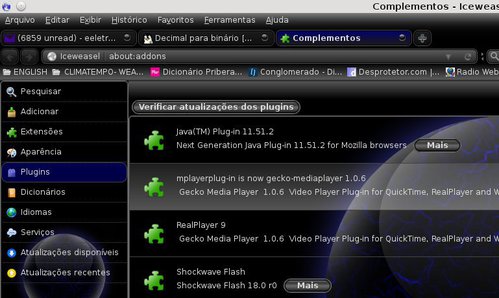 Opera, no browser digite:
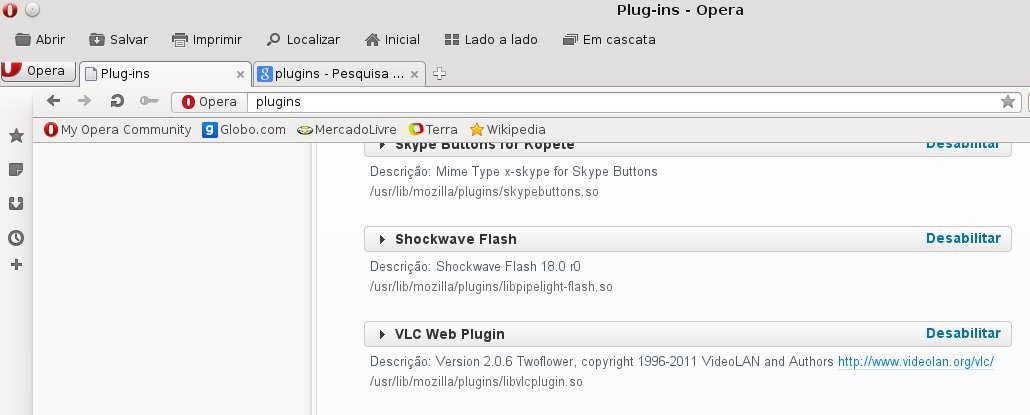
opera:plugins 6) Referência:
Não fiz o teste por não ter Netflix, se alguém quiser enriquecer a dica e quiser postar abaixo ou criar outra dica com um link para este seria bom.
Ele utiliza o Wine, no meu PC modesto está funcionando redondo.
Utilizei o Debian 7.8 (Wheezy) Iceweasel 40 (poderia ser o Firefox) e o Opera.
Observações:
a) Para a versão SID do Debian(8.1) mais atual entre no link de referências e use os repositórios especificados e os demais procedimentos são iguais.
b) Para versões 64 bits (Não vi ainda pois a minha é de 32 bits). Precisamos ativar o multiarch para utilizar versão 32bits com:
# dpkg --add-architecture i386
1) Baixe a chave de criptografia:
# wget http://download.opensuse.org/repositories/home:/DarkPlayer:/Pipelight/Debian_7.0/Release.key
1.1) Ativando a chave:
# apt-key add Release.key
2) Adicionar na sua sources.list o seguinte:
# nano /etc/apt/sources.list
###PIPELIGHT3#####
# Original line: deb http://ftp.de.debian.org/debian/ wheezy main
deb http://ftp.de.debian.org/debian/ wheezy main contrib
deb http://download.opensuse.org/repositories/home:/DarkPlayer:/Pipelight/Debian_7.0/ ./
# Original line: deb http://ftp.de.debian.org/debian/ wheezy main
deb http://ftp.de.debian.org/debian/ wheezy main contrib
deb http://download.opensuse.org/repositories/home:/DarkPlayer:/Pipelight/Debian_7.0/ ./
2.1) Fechar editor e atualizar:
# apt-get update
3) Instalar o Pipelight:
# apt-get install pipelight-multi
3.1) Atualizar o pipelight:
# pipelight-plugin --update
4) Configurar.
Com o comando abaixo pode se verificar as possibilidades de adicionar outros complementos e ativá-los em seguida:
# pipelight-plugin --help
Usage: pipelight-plugin [OPTIONS ...] COMMAND Environment variables: MOZ_PLUGIN_PATH overwrite plugin path Options:4.1) Ativando o Flash:
--accept accept all license User commands: --enable PLUGIN enable plugin --disable PLUGIN disable plugin --disable-all disable all plugins --list-enabled list enabled plugins for the current user --list-enabled-all list all enabled plugins --show-license print license for plugin --system-check do a system check --help shows this help --version shows the current version of Pipelight Global commands (require root rights): --create-mozilla-plugins create copies of libpipelight.so --remove-mozilla-plugins remove copies of libpipelight.so --unlock PLUGIN unlocks an additional plugin --lock PLUGIN locks an additional plugin --update update the dependency-installer script Supported standard plugins: silverlight5.1 silverlight5.0 silverlight4 flash unity3d widevine Additional plugins (experimental): shockwave foxitpdf grandstream adobereader hikvision npactivex roblox vizzedrgr viewright-caiway
# pipelight-plugin --enable flash
The following modules require a license confirmation before they can be enabled:
[*] Adobe Flash Player
By continuing the installation you agree that you've read and accepted the
ADOBE Personal Computer Software License Agreement:
http://wwwimages.adobe.com/www.adobe.com/content/dam/Adobe/en/legal/licenses-terms/pdf/Flash%20Player_11.0.pdf
To find out more click here:
http://get.adobe.com/flashplayer
4.2) Digitar "y" para yes (sim):
Do you accept the 1 license(s) above? [Y/N] y
Plugin flash is now enabled
4.3) Ativando o shockware (creio que não seja preciso):
# pipelight-plugin --unlock shockwave
Plugin shockwave is now unlocked# pipelight-plugin --enable shockwave
The following modules require a license confirmation before they can be enabled:
[*] Adobe Shockwave Player
By continuing the installation you agree that you've read and accepted the
ADOBE SOFTWARE LICENSE AGREEMENT:
http://wwwimages.adobe.com/www.adobe.com/content/dam/Adobe/en/legal/licenses-terms/pdf/Shockwave%2011.0.pdf
To find out more click here:
http://get.adobe.com/shockwave 4.3) Digitar "y" (yes):
Do you accept the 1 license(s) above? [Y/N] y
Plugin shockwave is now enabled
4.4) Criar o plugin no Mozilla (Icewesel/Firefox), o Opera puxa o plugin automático:
# pipelight-plugin --create-mozilla-plugins
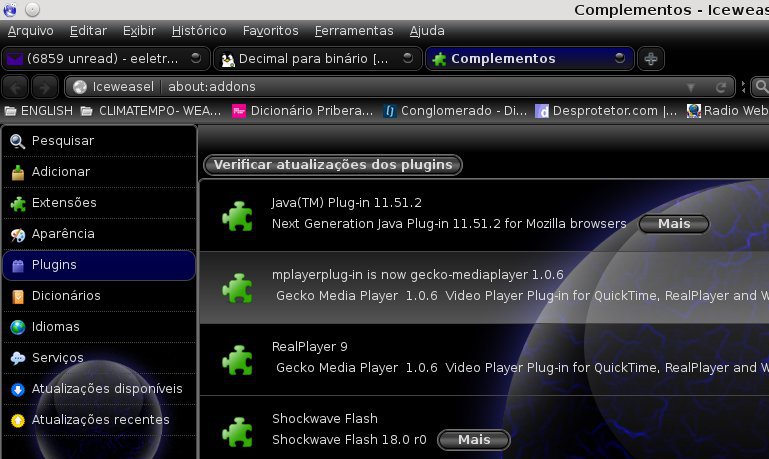
5) Ao fim do processo verificamos os plugins no navegadores:
Iceweasel/Firefox vá em:
Ferramenta > Complementos > Plugins
opera:plugins