
Pogo Audio Player no Arch Linux, Debian, Slackware e Ubuntu
Dica publicada em Linux / Software

Pogo Audio Player no Arch Linux, Debian, Slackware e Ubuntu
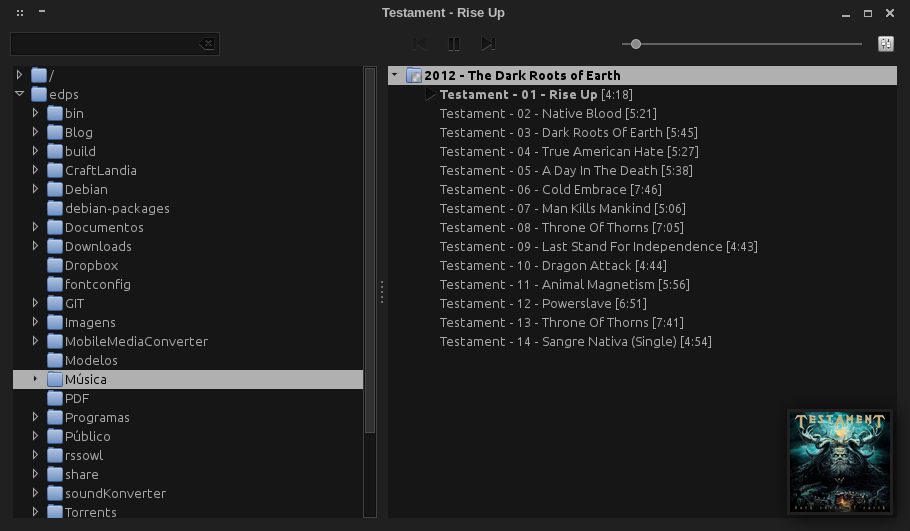
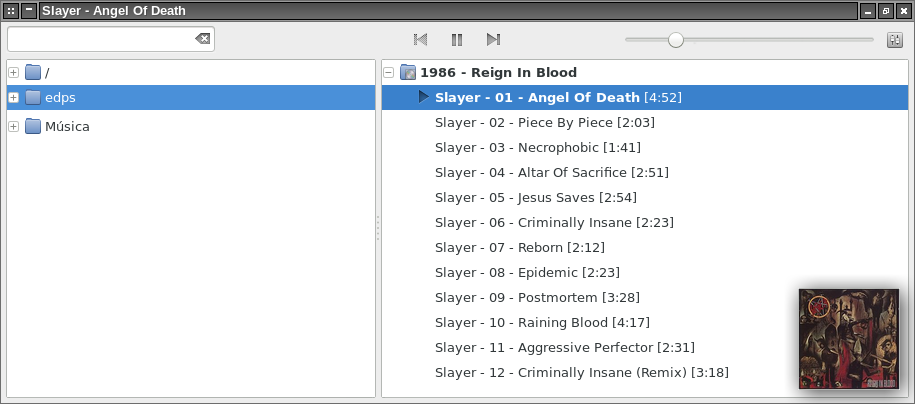
O Pogo Audio Player é um software similar a alguns disponíveis para o MS Windows, dentre os quais cito o famoso foobar2000 e o quase desconhecido e incrivelmente leve 1by1. Veremos aqui como instalá-lo no Debian, Ubuntu, Arch Linux e, mais recentemente, no Slackware.
Para quem gosta, o Pogo Audio Player é um programa bem simples e rápido, onde não se trabalha com bibliotecas de músicas, etc, simplesmente navega-se até a pasta onde as músicas estão contidas e pronto!.
sudo apt-get update
sudo apt-get install debhelper devscripts equivs gstreamer0.10-alsa gstreamer0.10-plugins-bad gstreamer0.10-plugins-base gstreamer0.10-plugins-good gstreamer0.10-plugins-ugly python python-dbus python-gnome2python-gst0.10 python-gtk2 python-mutagen python-notify python-support
Daí, baixe os sources do programa via "bzr", empacote e instale com:
cd
bzr branch lp:pogo
cd pogo/
debuild -us -uc -b
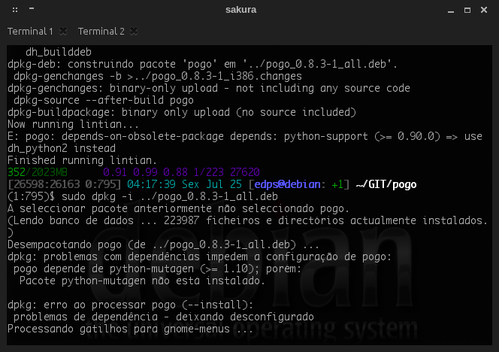
sudo dpkg -i ../pogo_*.deb
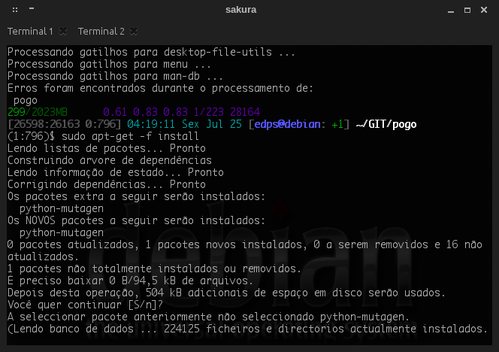
sudo apt-get -f install
cd ..
rm -rfv pogo pogo*.build pogo*.changes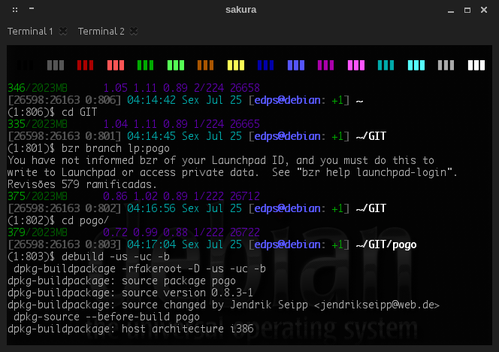
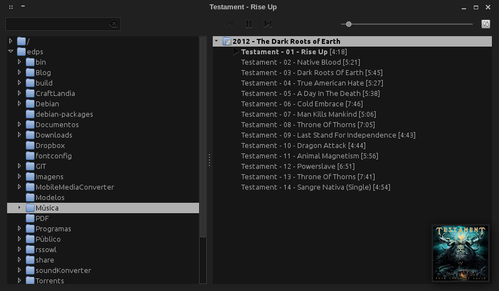
 Em uso:
sudo add-apt-repository ppa:pogo-dev/daily
sudo apt-get update
sudo apt-get install pogo
Referência:
wget https://aur.archlinux.org/packages/po/pogo/pogo.tar.gz
tar -xf pogo.tar.gz
cd pogo
makepkg -si
* Requer os pacotes oficiais "dbus-python" e "notify-python". Provavelmente, você já os tem instalados! :)
Seja com o sbopkg:
sudo PKGTYPE=txz sbopkg -i 'gst-plugins-ugly gst-python mutagen pogo'
Log:
+-[slackware][~]
+-? sudo PKGTYPE=txz OUTPUT=/home/edps/Slackware/packages/ sbopkg -i 'gst-plugins-ugly gst-python mutagen pogo'
###########################################
New queue process started on:
Dom Abr 26 15:59:10 BRT 2015
###########################################
+++++++++++++++++++++++++++++++++++++++++++
PRE-CHECK LOG
Using the SBo repository for Slackware 14.1
Queue Process: Download, build, and install
gst-plugins-ugly:
Checking GPG for gst-plugins-ugly.tar.gz ... OK
Processing gst-plugins-ugly 0.10.19-2
Using original .info file
Using original SlackBuild file
No build options selected.
gst-python:
Checking GPG for gst-python.tar.gz ... OK
Processing gst-python 0.10.22-2
Using original .info file
Using original SlackBuild file
No build options selected.
mutagen:
Checking GPG for mutagen.tar.gz ... OK
Processing mutagen 1.27-1
Using original .info file
Using original SlackBuild file
No build options selected.
pogo:
Checking GPG for pogo.tar.gz ... OK
Processing pogo 0.8.3-1
Using original .info file
Using original SlackBuild file
No build options selected.
+++++++++++++++++++++++++++++++++++++++++++
Pre-check complete.
Do you wish to proceed based on the search results above? Packages not
found will be skipped during the process.
(P)roceed or (Q)uit?:
Ou, com o sbotools:
sudo PKGTYPE=txz sboinstall pogo
Log:
+-[slackware][~]
+-? sudo PKGTYPE=txz OUTPUT=/home/edps/Slackware/packages/ sboinstall pogo
mutagen already installed.
gst-python already installed.
gst-plugins-ugly already installed.
pogo already installed.
+-[slackware][~]
+-?
E pronto: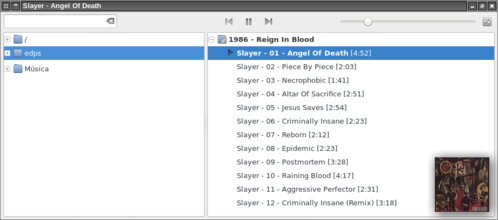 Dica previamente publicada em meu blog:
IntÉ!
Para quem gosta, o Pogo Audio Player é um programa bem simples e rápido, onde não se trabalha com bibliotecas de músicas, etc, simplesmente navega-se até a pasta onde as músicas estão contidas e pronto!.
Debian, Ubuntu e derivados
Digite:sudo apt-get update
sudo apt-get install debhelper devscripts equivs gstreamer0.10-alsa gstreamer0.10-plugins-bad gstreamer0.10-plugins-base gstreamer0.10-plugins-good gstreamer0.10-plugins-ugly python python-dbus python-gnome2python-gst0.10 python-gtk2 python-mutagen python-notify python-support
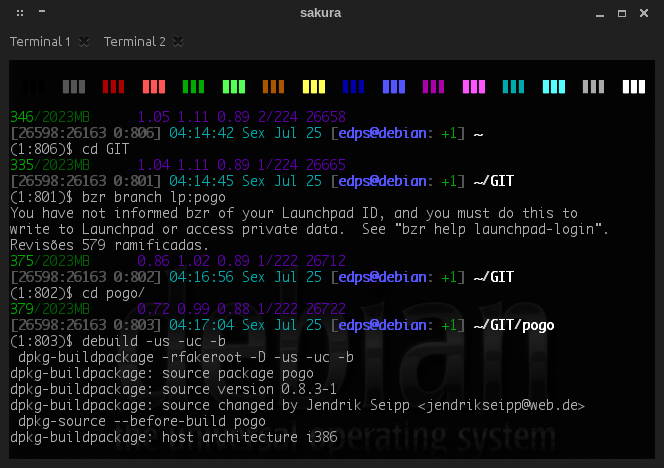
Daí, baixe os sources do programa via "bzr", empacote e instale com:
cd
bzr branch lp:pogo
cd pogo/
debuild -us -uc -b
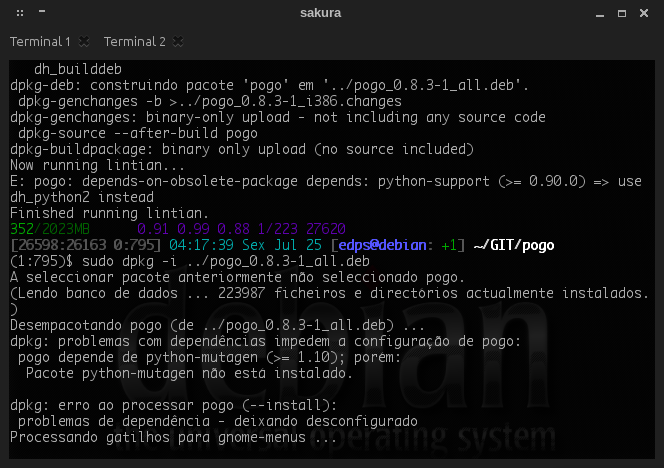
sudo dpkg -i ../pogo_*.deb
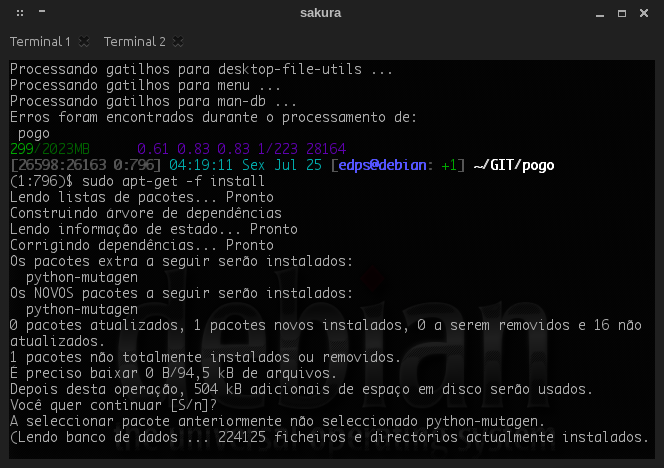
sudo apt-get -f install
cd ..
rm -rfv pogo pogo*.build pogo*.changes
Ubuntu e derivados
Digite:sudo add-apt-repository ppa:pogo-dev/daily
sudo apt-get update
sudo apt-get install pogo
Referência:
Arch Linux
Digite:wget https://aur.archlinux.org/packages/po/pogo/pogo.tar.gz
tar -xf pogo.tar.gz
cd pogo
makepkg -si
Slackware
Com a recente adição de meu SlackBuild no SlackBuilds.org, ficou fácil instalar o Pogo Audio Player no Slackware:* Requer os pacotes oficiais "dbus-python" e "notify-python". Provavelmente, você já os tem instalados! :)
Seja com o sbopkg:
sudo PKGTYPE=txz sbopkg -i 'gst-plugins-ugly gst-python mutagen pogo'
Log:
+-[slackware][~]
+-? sudo PKGTYPE=txz OUTPUT=/home/edps/Slackware/packages/ sbopkg -i 'gst-plugins-ugly gst-python mutagen pogo'
###########################################
New queue process started on:
Dom Abr 26 15:59:10 BRT 2015
###########################################
+++++++++++++++++++++++++++++++++++++++++++
PRE-CHECK LOG
Using the SBo repository for Slackware 14.1
Queue Process: Download, build, and install
gst-plugins-ugly:
Checking GPG for gst-plugins-ugly.tar.gz ... OK
Processing gst-plugins-ugly 0.10.19-2
Using original .info file
Using original SlackBuild file
No build options selected.
gst-python:
Checking GPG for gst-python.tar.gz ... OK
Processing gst-python 0.10.22-2
Using original .info file
Using original SlackBuild file
No build options selected.
mutagen:
Checking GPG for mutagen.tar.gz ... OK
Processing mutagen 1.27-1
Using original .info file
Using original SlackBuild file
No build options selected.
pogo:
Checking GPG for pogo.tar.gz ... OK
Processing pogo 0.8.3-1
Using original .info file
Using original SlackBuild file
No build options selected.
+++++++++++++++++++++++++++++++++++++++++++
Pre-check complete.
Do you wish to proceed based on the search results above? Packages not
found will be skipped during the process.
(P)roceed or (Q)uit?:
Ou, com o sbotools:
sudo PKGTYPE=txz sboinstall pogo
Log:
+-[slackware][~]
+-? sudo PKGTYPE=txz OUTPUT=/home/edps/Slackware/packages/ sboinstall pogo
mutagen already installed.
gst-python already installed.
gst-plugins-ugly already installed.
pogo already installed.
+-[slackware][~]
+-?
E pronto:
IntÉ!